
Understand image content
Use Chrome built-in AI to read the main subject of each local image and create meaningful filenames.
Chrome built-in AI · Local image workflow
AI Image Renamer scans local images, generates clear filenames from visual content, and lets you review everything before applying changes.
Use Chrome built-in AI to read the main subject of each local image and create meaningful filenames.
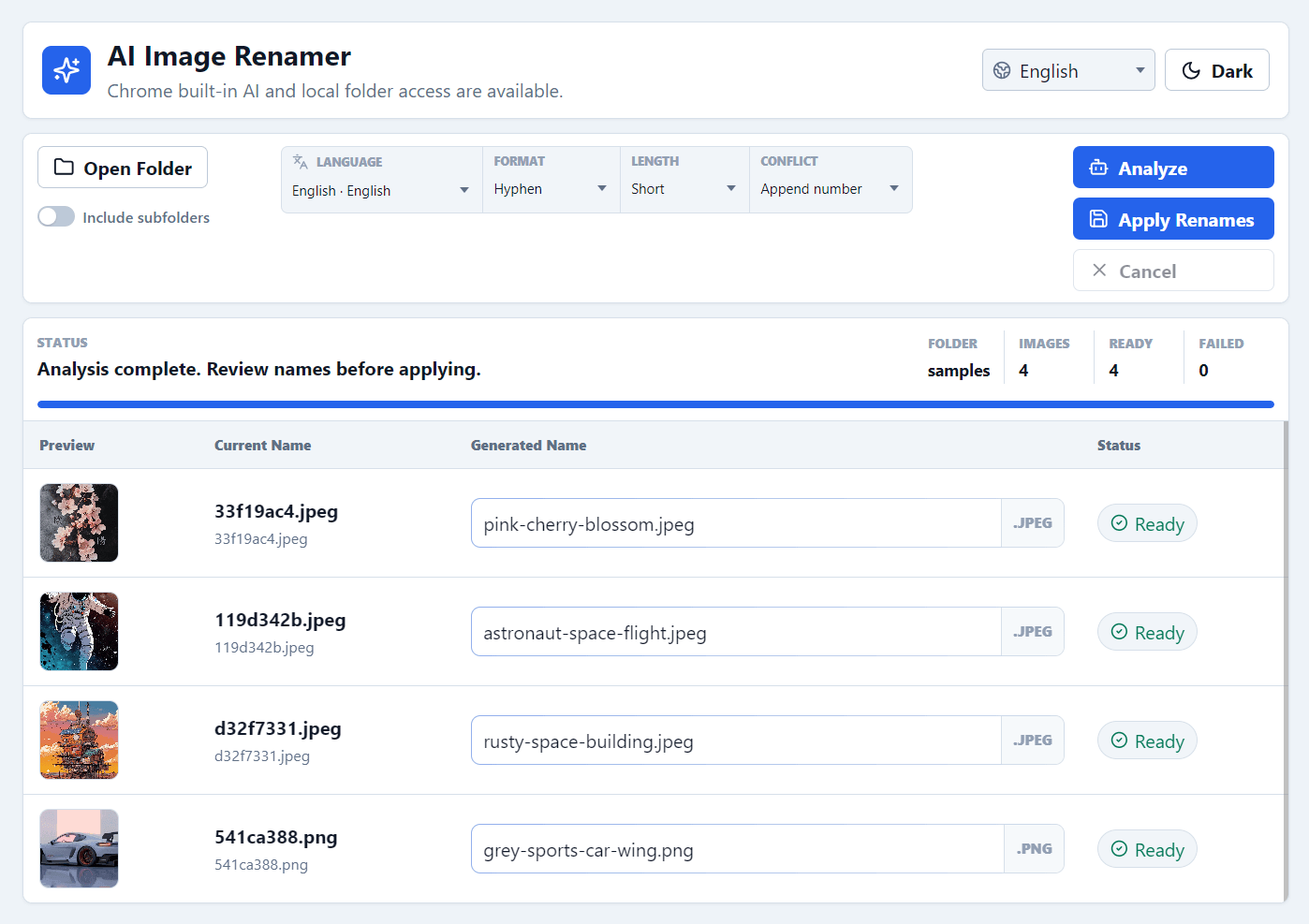
Open a folder, optionally include subfolders, review every proposed name, then apply changes in place.
Files stay on your machine. The app uses browser APIs for local access and Chrome's built-in model.
Choose output language, filename format, name length, and conflict behavior before renaming.
Generate names in English, German, Japanese, French, Spanish, or Chinese for local and international libraries.
Open the free web app in Chrome and use it immediately without downloading desktop software.
How it works
The workflow stays deliberate: choose files, set rules, analyze, then apply only after review.
Open a local image folder and decide whether subfolders should be included.
Choose output language, format, length, and how filename conflicts should be handled.
Chrome built-in AI reads each image and proposes a content-based filename.
Review or edit generated names, then apply changes directly to the selected folder.
Free to use
AI Image Renamer is designed for quick local work, not account setup or service configuration.
Open the app and start from a local folder without creating a user account.
It uses Chrome built-in AI, so there is no external model provider key to paste or manage.
Run it as an online app in Chrome without installing desktop software.
Use cases
Use AI Image Renamer when visual context matters more than camera-generated filenames.
Turn camera names into searchable filenames for trips, events, family albums, and screenshots.
Prepare design references, product shots, and campaign images before moving them into a DAM or project folder.
Standardize mixed image folders with consistent separators, lengths, languages, and conflict handling.
FAQ
No. The app uses browser APIs and Chrome built-in AI so files stay on your machine.
Image analysis depends on Chrome Prompt API image input, which is required for this workflow.
Yes. Generated names appear in an editable list, and files are only renamed after you apply changes.